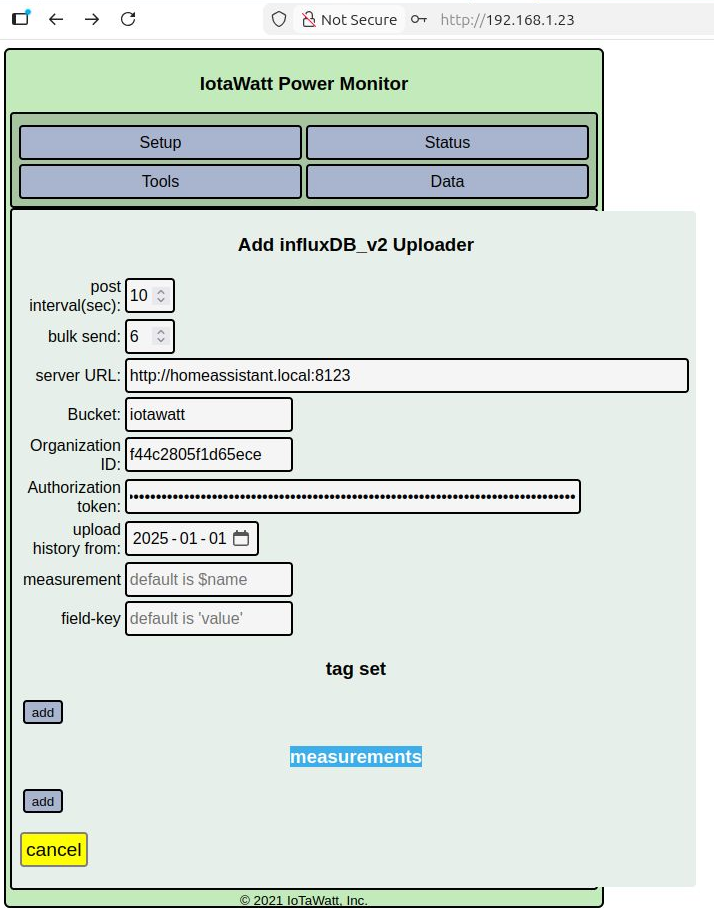
I’ve been trying to get Influx DB v2 working with home assistant. The issue I have is that I enter in all of the information, but there’s no save button with which I can save what I have entered. From my research, the lack of a save button is supposed to mean some of the information I’ve entered is missing or inaccurate, but I can’t figure out what that would be.
Attached is a screenshot of what I have tried entering. I’ve tried entering $name and value in the measurement and field-key fields, as well as just leaving them blank which I understand should work. But neither configuration gets me that save button.
Offhand you need to specify at least one measurement. That will probably activate the save button.
But I don’t think this is going to work. I’m not really up to speed on the home assistant influx integration, but from I see in a quick look it enables HASS to offload sensor data that it already has to influx. I don’t see that it provides an endpoint to post data directly to influx.
There is an integration to pull IoTaWatt data into HA, and from what I can see, once you get the influDB integration setup, HA will push those measurements to influx.
I believe there is also a mechanism to have HA pull data from influx, and so you could go the route of sending your IoTaWatt data directly to influx and then have HA pull that data from influx. That would have the benefit of resiliency to any downtime as IoTaWatt will backfill data after any outage that prevents it from posting.
If I’m missing something about posting to influx via homeassistant please post a link to the description of that capabiity.
There is a Home Assistant Add-On that is an InfluxDB Server. This is what I use locally to store all of my ioTaWatt data to, so that I can view the hostiry using Grafana (another HAOS Add-on). I do NOT have my ioTaWatt devices actually integrated into HA whatsoever - just into InfluxDB.
Note: Home Assistant Add-Ons are just nicely packaged and maintained docker containers.
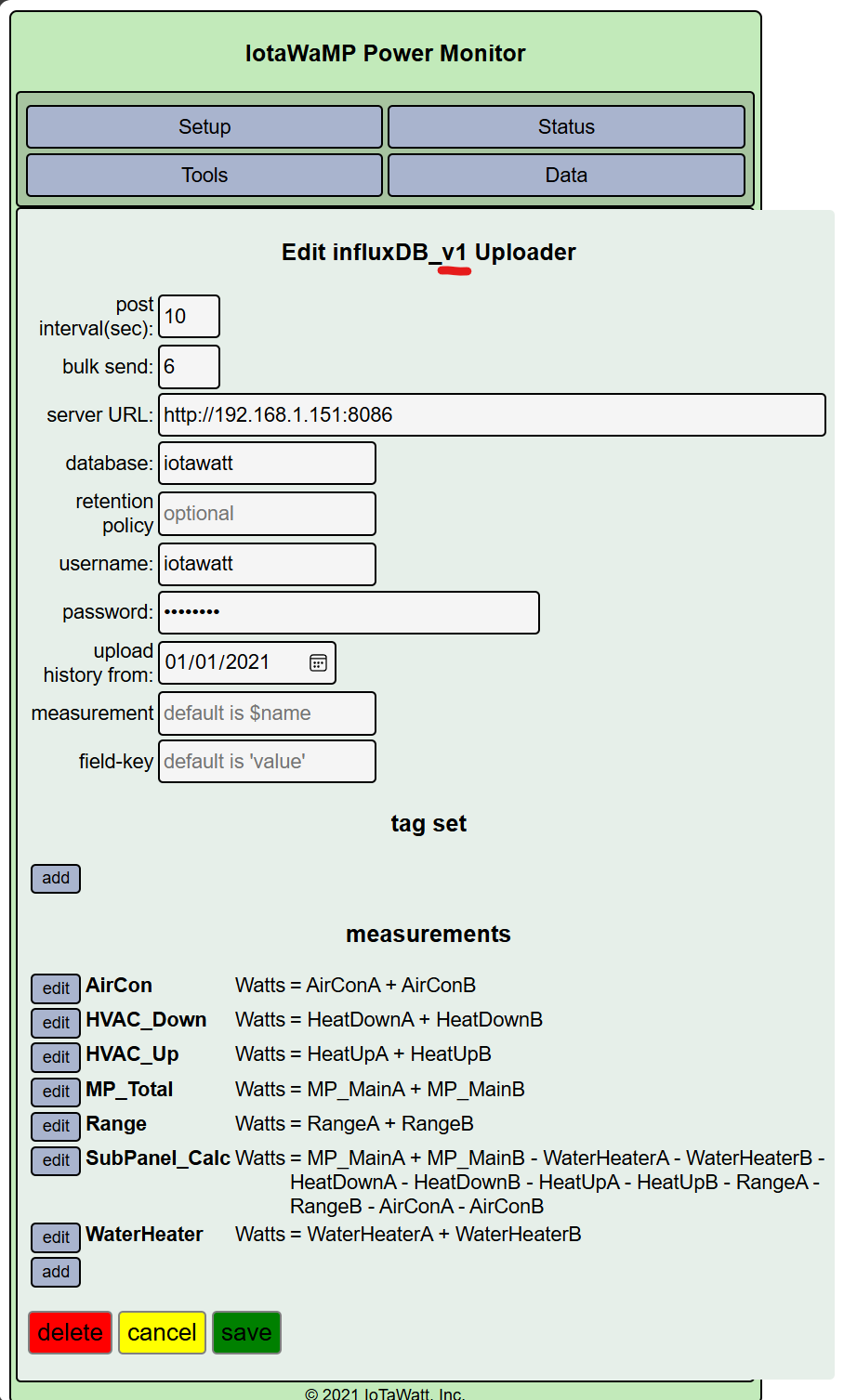
@swaff - Here is what my ioTaWatt InfluxDB configuration looks like. Please note that I use InfluxDB v1, not v2, with the HA InfluxDB add-on.
So if I understand you correctly, the HA add-on simply installs an instance of influxDB via Docker container. You then can add an influx integration to HA to connect the two so that HA can create and maintain sensor state changes. HA can also poll influx for sensor data, such as data uploaded from IoTaWatt directly to the influx instance.
To that end, HA can be configured to pull IoTaWatt sensor data from influx. So if @swaff adds the measurements that he/she wants to the IoTaWatt uploader and saves it, the subsequent upload data can be pulled into HA.
If I have that right, this is probably a better way to feed HA energy data than using the HA IoTaWatt integration because you get the continuity of the IoTaWatt/influx synchronization of backlogged data when an interruption occurs.
I had not looked at HA lately but see that it still requires restarting for configuration changes, which can cause holes in the pulled IoTaWatt (and any other sensor) data. Not that it would be a problem, but does restarting HA then restart the influx instance?
Seems to me you might be better off just installing influx directly from the influxdata downloads (native or docker) and then provide the particulars to HA. I believe that would be the necessary method if the integration were used with an influx instance on a different host machine or using the influx cloud service.
Yes, I have all of my Home Assistant device/entity data being stored in InfluxDB. This was very easy to do by just adding a few lines in configuration.yaml as shown below.
One does have to create the InfluxDB Database first, as well as the permissions.
I have never tried this. Thus, I cannot offer any advice on how well this works. But it definitely is an interesting idea.
That’s a good question. I haven’t really needed to worry about it as none of the data is truly critical to me. It is all very nice to have, though.
Definitely an option. However, for me the ease of use afforded by using the HA Add-Ons is what I was after. I have HA Add-Ons for InfluxDB, Grafana, Node-RED, Mosquito MQTT, ESPHome, Z-Wave JS UI, Zigbee2MQTT, etc… It is so much easier (at least for me) to let HA manage these as add-ons, versus having to learn how to manage and upgrade individual docker containers for all of these.
Correct. Without solar, I am not seeing much of an advantage to integrating IoTaWatt with HA. I do have it integrated with my Hubitat home automation system, as I use that data to send push notifications when our laundry cycles are complete.
 I haven’t really needed to worry about it as none of the data is truly critical to me. It is all very nice to have, though.